Ireland's foremost provider of training in Play Therapy
Whether you're expanding your skills, or starting a new career as a Play Therapist and Psychotherapist, we have the training for you. From short courses to a full Masters, we have professionally and academically recognised training for all levels across the country.
Academically & Professionally recognised
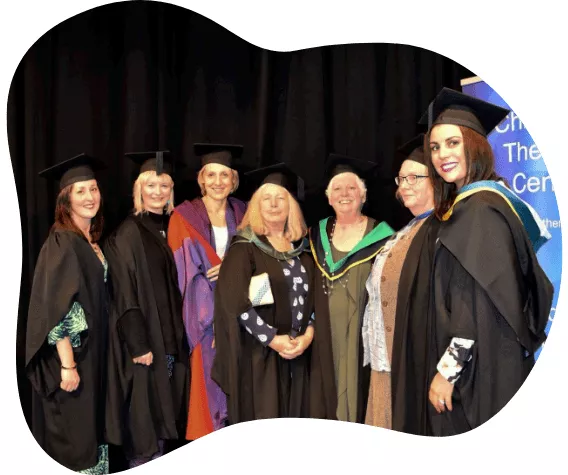
We are the only institution in Ireland where you can gain a dual qualification as a Play Therapist and Psychotherapist with full academic and professional validation. We offer QQI awards at both Level 6 and Masters Level 9 and have professional recognition by both IAHIP and IAPTP. Ours is the only humanistic and integrative child and adolescent training to hold such accreditation.
Courses for all levels and all localities
We run courses across the country, and for all levels. From short introductory and professional development courses, to our QQI Level 6 Theraputic Play Skills Certificate all the way to our Masters-level professional qualification, we ensure our courses are accessible to everyone regardless of where they are based in Ireland.
Expand your employment potential
There is a large and growing demand for people with play therapy training. Our short courses and QQI Level 6 Certificate provides new skills to incorporate into your current work, while our Masters Level course opens up a whole new profession as a much sought-after Psychotherapist with a specialisation in Play Therapy with statutory services, NGO’s, or working in private practice
Frequently Asked Questions
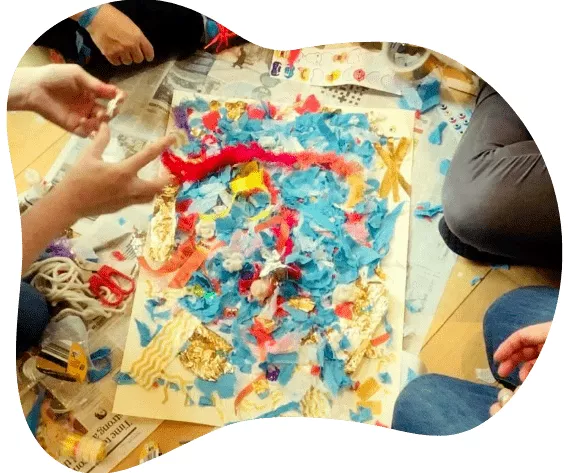
Play Therapy is a powerful form of therapy that recognises children’s play as more than just fun; it is a language through which they communicate and develop. Rather than seeking to apply standard adult talk-therapy methods to children, play therapy seeks to engage with them at their own level, developing a strong relationship with the child through the medium of play, and through that help children prevent or resolve a wide array of psychosocial difficulties so they can achieve their potential. >> Read More >>
A play therapist is someone trained to communicate with children through the medium of play. A psychotherapist is a mental health professional who is accredited and/or registered to provide psychological treatment to clients with complex emotional needs.
A play therapist that is not also a psychotherapist, or other mental health professional, uses play therapy to work with children who do not have clinical issues, for instance, they may work with children with developmental challenges and those who are struggling with changes in their lives. The aim is to promote emotional wellbeing and help children adjust to new situations so that they can regain the happiness and security that may have been lost due to a difficult experience such as a bereavement, illness, or single incident trauma.
At CTC we believe it is best for play therapists to also be psychotherapists. This means that they are trained mental health professionals able to provide developmental and therapeutic play, play therapy, and psychological treatment to clients across the spectrum of need including those with significant clinical issues and those with complex histories including multiple traumas. >> Read More >>
CTC run four types of courses: a wide array of short courses, QQI validated courses in Therapeutic Play Skills and Principles of Art Therapy, our full QQI Level 9 Masters in Creative Psychotherapy which includes a postgraduate diploma in Play Therapy and also a Diploma in Creative Supervision for therapists looking to become supervisors.
Our short courses include great introductions for those new to play therapy, providing opportunities to learn more therapeutic play to incorporate it into your work or parenting, or prepare you for more in-depth training. We also have short courses for play therapists, psychotherapists and othe professionals wishing to expand their knowledge and skill set and continue their professional development. These can vary from one-day to week-long events.
Our QQI Certificates build on the content of the one-day courses and provide a recognised academic award in either therapeutic play or art therapy. They equip participants to provide individual and group play or art interventions that support children’s development and enhances the general skill set of professionals including teachers, child care workers, social workers, so that they can provide therapeutic play experiences within their current professional role.
Our Masters programme is a four-year part time course that qualifies you as both a Play Therapist and Psychotherapist, and is fully recognised by professional bodies such as IAHIP and IAPTP, while our Diploma in Creative Supervision is a one year course for those who wish to become qualified supervisors. >> Read More >>